

.svg)

.svg)
.svg)

🇺🇸 1 Boston Place, Suite 2600, MA 02108
🇬🇧 2 Pear Tree Court, London EC1R 0DS
© 2026, Juro. All rights reserved.


🇺🇸 22 Boston Wharf Rd, Boston, MA 02210
🇬🇧 2 Pear Tree Court, London EC1R 0DS
© 2026, Juro. All rights reserved.
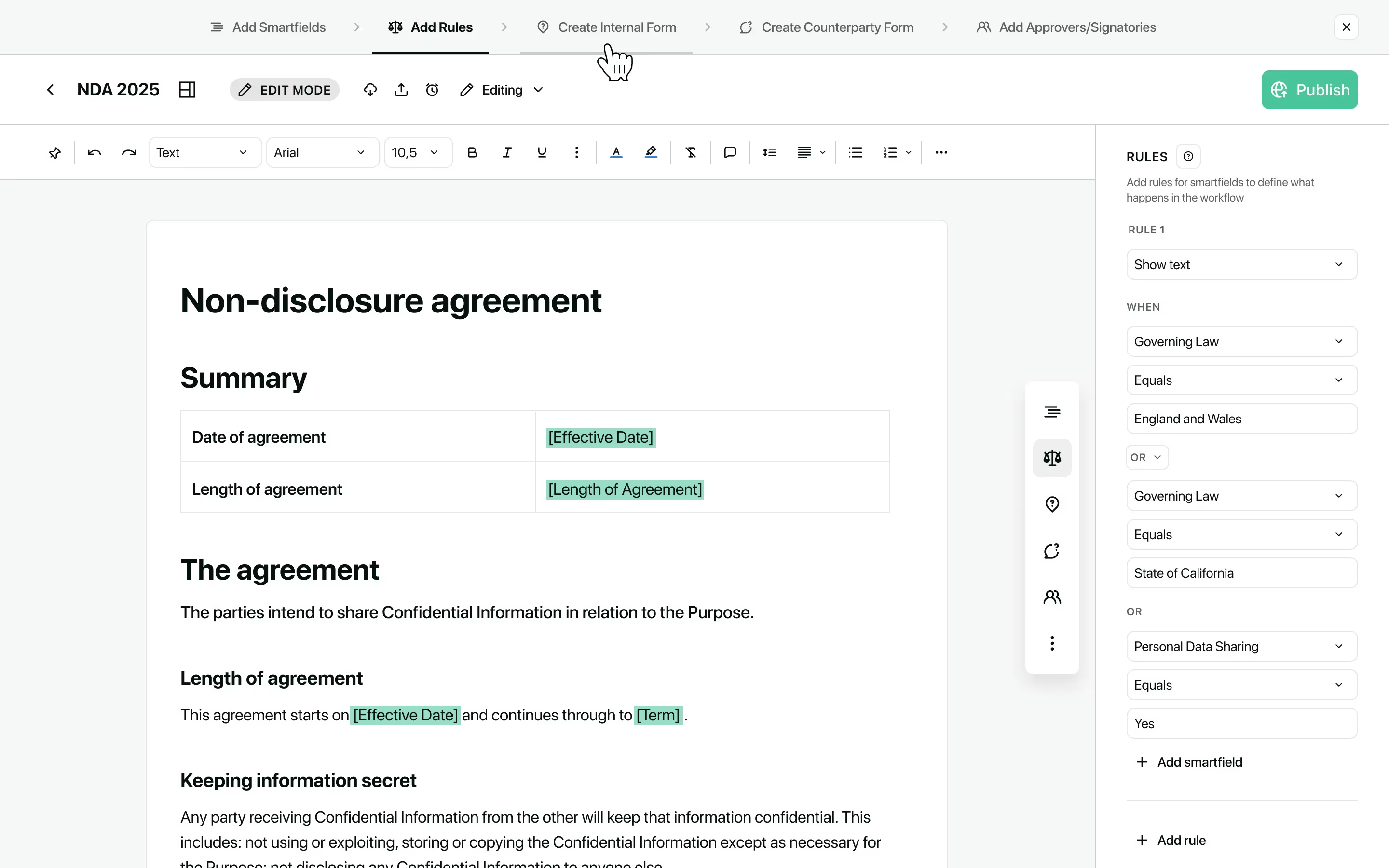
The template editor now includes step-by-step setup guidance to help you configure and publish templates more easily.
A new progress tracker shows all setup stages in a recommended order, with on-demand help available. Simply click the '?' icon next to each sidebar header to learn more about completing that stage. You can follow the suggested flow or navigate between stages however you prefer.
This gives you a clearer path to getting templates ready to use so your team can start creating contracts straight away.
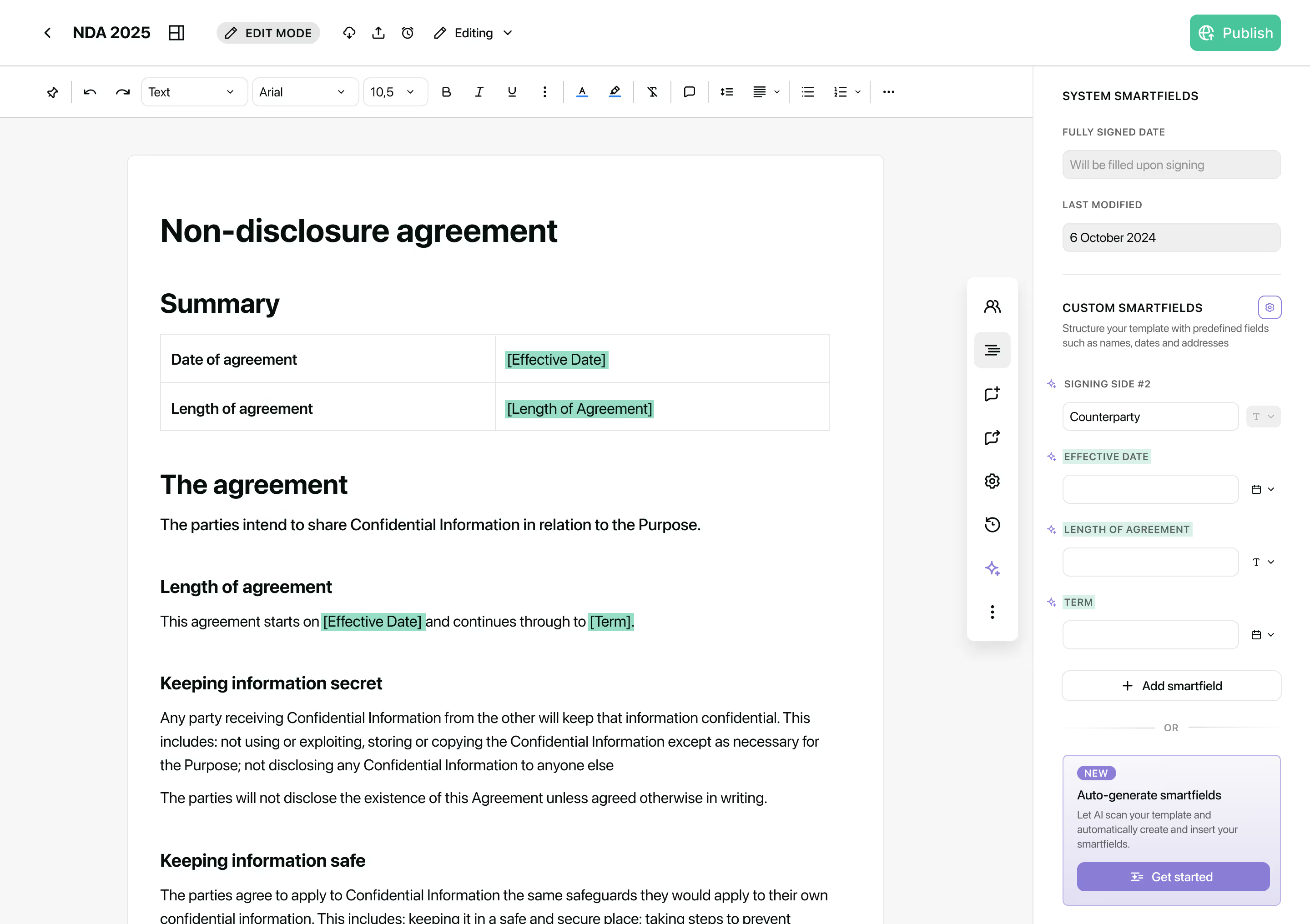
AI-generated smartfields are now automatically inserted into your template body, removing the need for manual drag and drop.
When generating smartfields with AI, we’ll scan your template and replace placeholders (in square brackets, underscores, angle brackets and curly braces) with the generated smartfields, inserting them directly into the document with correct formatting.
By removing this manual step, you can spend less time on manual configuration and more on refining your templates.
Contact the Juro customer team to explore your new features in more depth. If you're new to Juro, use the form below to book your demo and try these features for yourself.


