.svg)

.svg)
.svg)

🇺🇸 22 Boston Wharf Rd, Boston, MA 02210
🇬🇧 2 Pear Tree Court, London EC1R 0DS
© 2026, Juro. All rights reserved.


🇺🇸 22 Boston Wharf Rd, Boston, MA 02210
🇬🇧 2 Pear Tree Court, London EC1R 0DS
© 2026, Juro. All rights reserved.

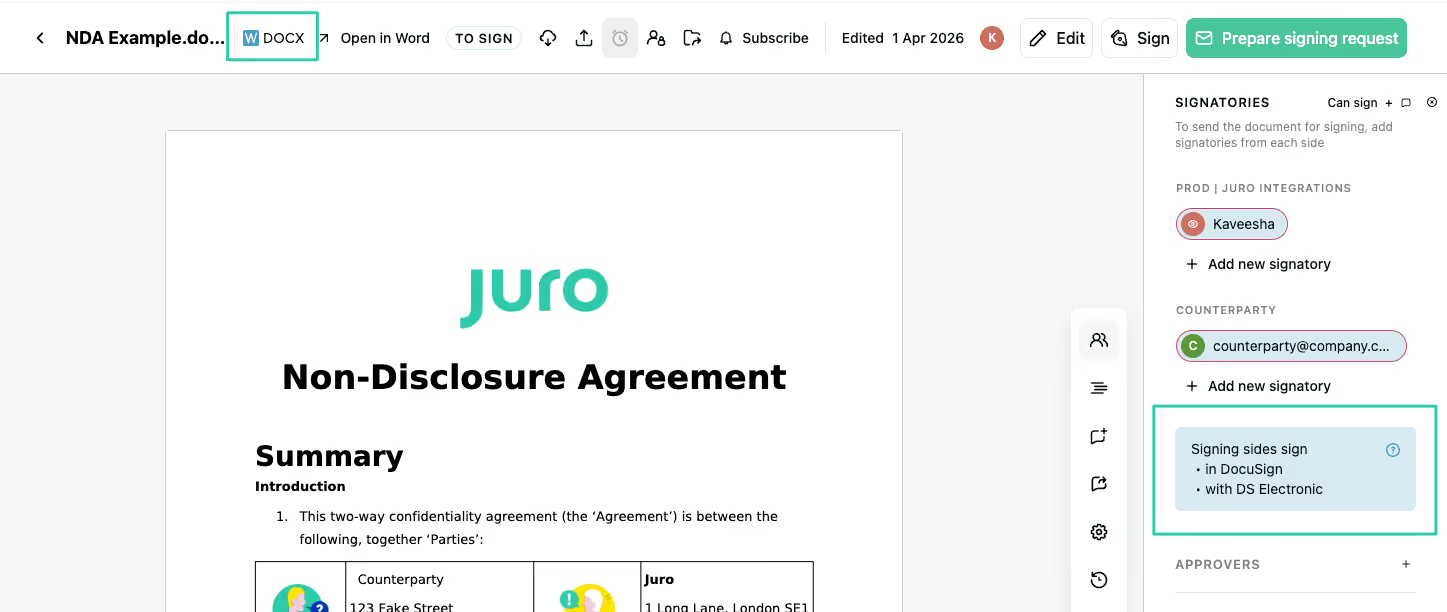
You can now send PDFs and Word documents for signature via DocuSign, so your contracts go straight from Juro to DocuSign without needing to switch formats or tools. This means fewer workarounds, a smoother signing flow, and a faster route from agreed to signed.
It's official - AI Review in Juro has graduated. After a successful beta period, AI Review is now available to all customers.
If you haven't tried it yet, now's a great time. Head to External Comments in Juro, select a playbook, and let AI do the heavy lifting on your counterparty negotiations.
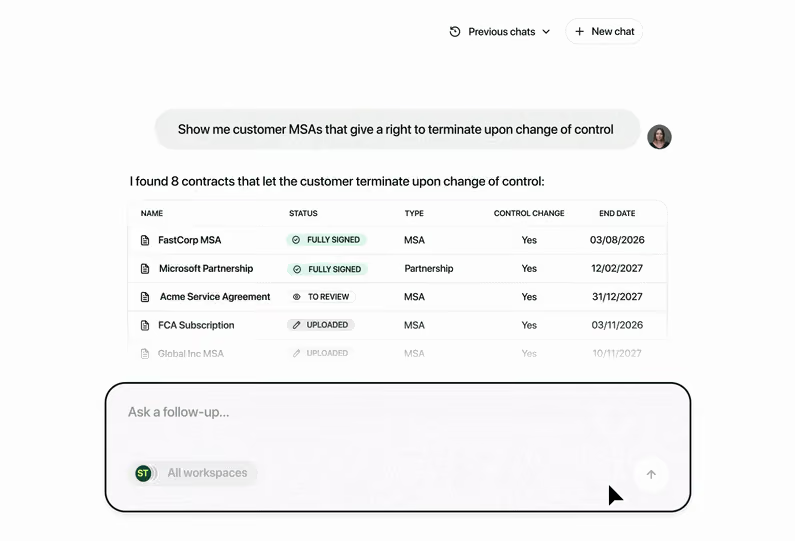
Operator can now answer questions about your contracts in plain language. Instead of searching through documents manually, ask Operator a question and it'll scan your contract data to pull the relevant information together. Answers come back as a clear summary you can act on, with citations linking to the underlying contracts.
Operator is currently in beta and we're rolling it out to customers in phases.
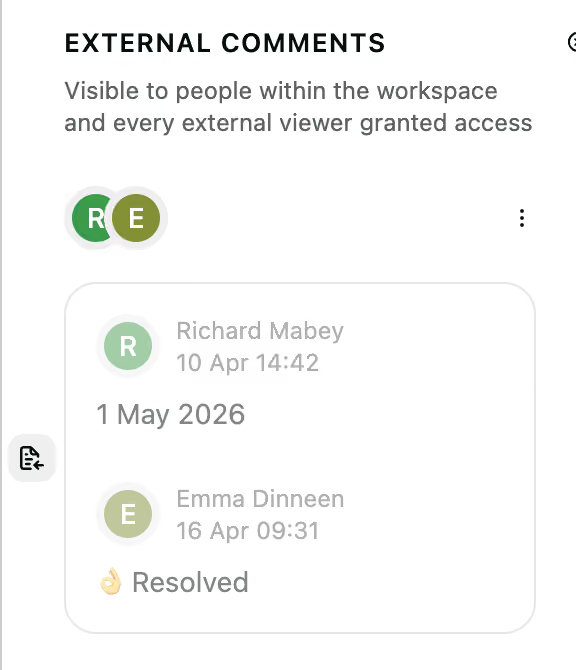
Your counterparties can now directly accept or reject the suggestions you've made - without ever leaving Juro. No more chasing feedback over email or waiting for a tracked-changes Word doc to land in your inbox. It all happens in one place
Resolved suggestions now stay linked back to their original location in the contract, so you always have a clear, clickable audit trail of exactly what changed and where.
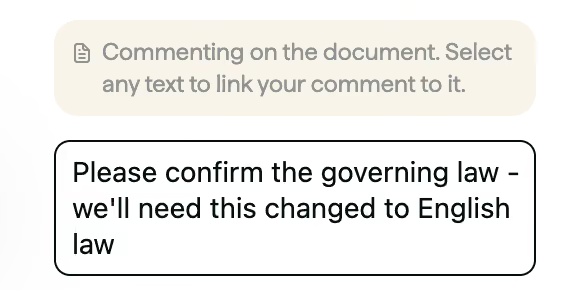
We've added a prompt that encourages counterparties to highlight the relevant text before adding a comment.
This helps ensure feedback is anchored to the right place in the document - making review of their negotiations easier to follow.

Sometimes your counterparty is happy with everything - and now they can say so without being forced to make a meaningless edit just to return the document. They can simply hand it back, no changes required.
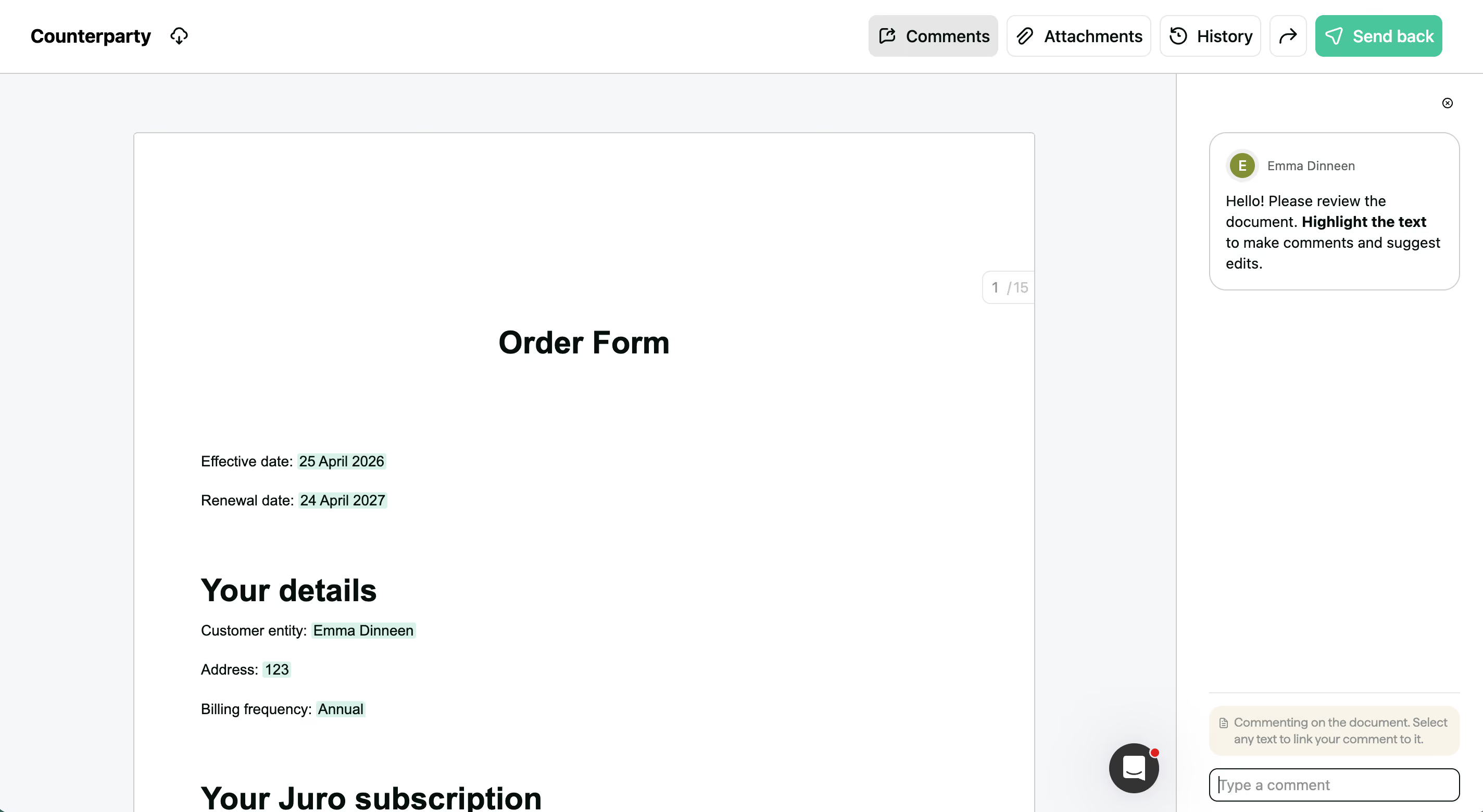
Counterparties filling in their external form smartfields can now see them highlighted directly in the contract, and edit them inline with a click - making the whole experience far simpler and more intuitive.

You can now retrieve a list of all your contracts via the API without needing to know specific contract IDs, with updatedSince and updatedBefore filters to narrow results by date.
This allows you to keep contract data in sync across your stack more easily, run scheduled pulls without extra engineering overhead, and build integrations that stay reliably up to date with less maintenance.
Read the supporting documentation here.
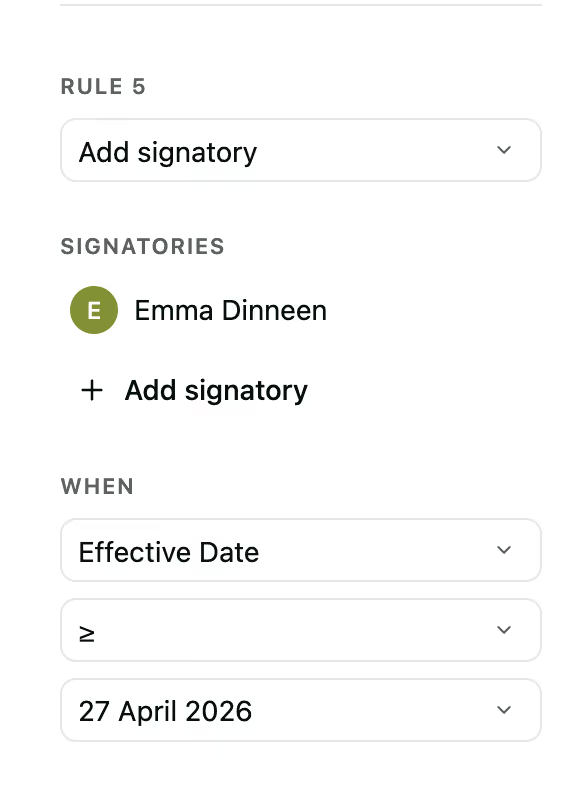
You can now add conditional signatories to contracts, so only the right people are required to sign based on smartfield values.
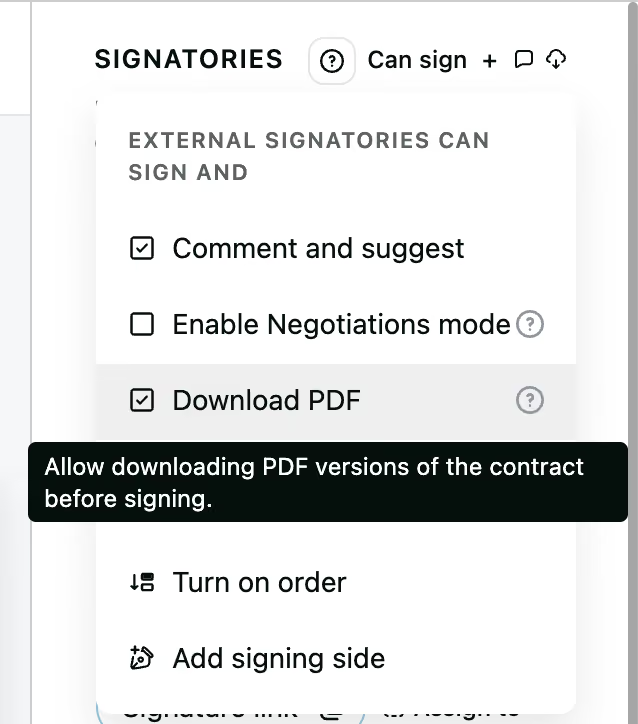
Admins and Editors can now configure whether counterparties are able to download a PDF before a contract is fully signed.
Contact the Juro customer team to explore your new features in more depth. If you're new to Juro, use the form below to book your demo and try these features for yourself.