.svg)

.svg)
.svg)

🇺🇸 22 Boston Wharf Rd, Boston, MA 02210
🇬🇧 2 Pear Tree Court, London EC1R 0DS
© 2026, Juro. All rights reserved.


🇺🇸 22 Boston Wharf Rd, Boston, MA 02210
🇬🇧 2 Pear Tree Court, London EC1R 0DS
© 2026, Juro. All rights reserved.

Bring your Juro contracts into Claude with the new Claude MCP, so you can:
You can even access your contract information in Slack and Word through the Claude add-in. Connect Claude via the official directory here.
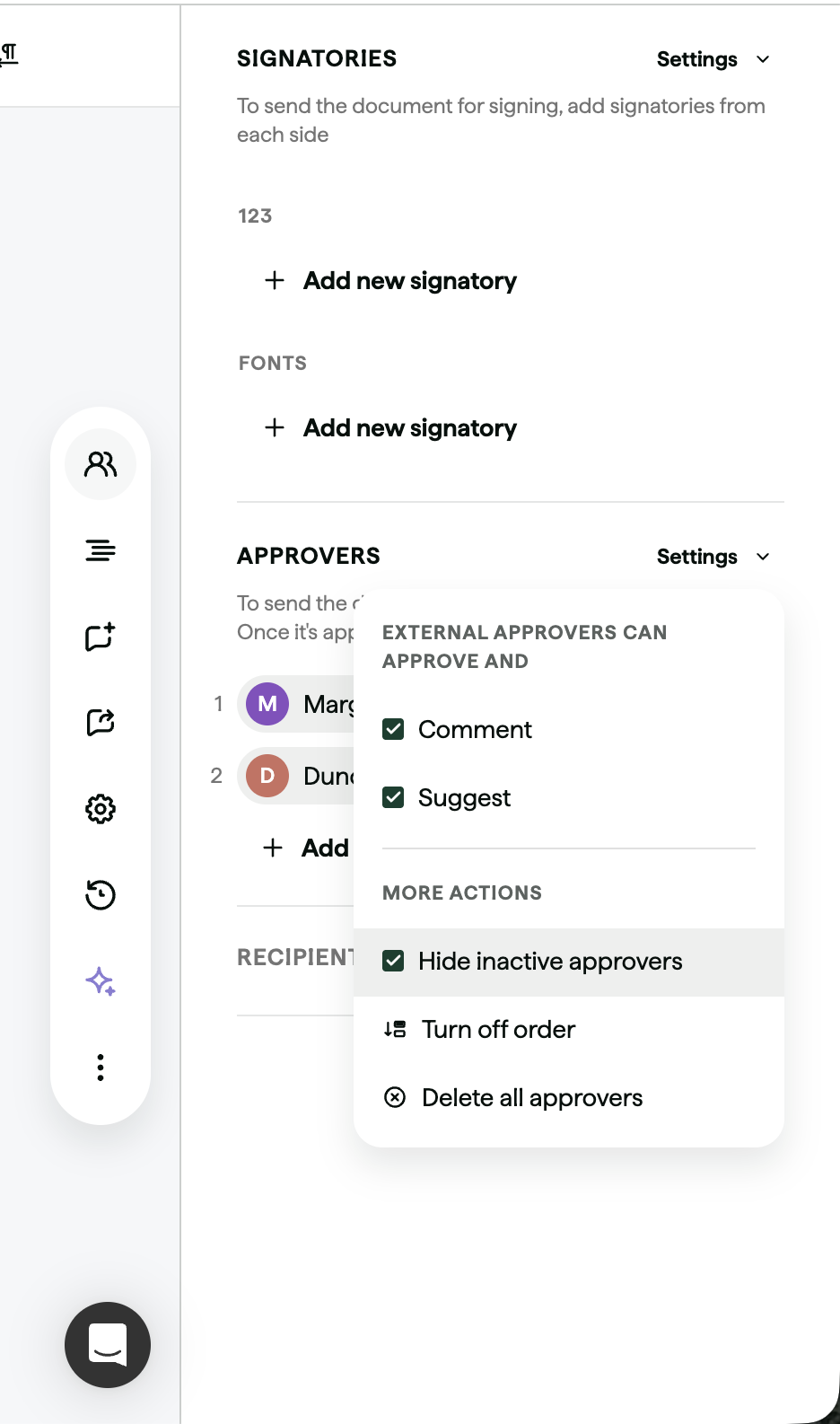
You can now control whether inactive approvers appear in a contract's approver list.
You'll now be notified in Slack the moment a colleague tags you in an internal comment on a contract, rather than only by email. If your team spends its day in Slack, review requests and questions reach you where you already are, so nothing sits waiting in an inbox you're not watching.
To activate this, you'll need the Slack integration connected for your workspace.
You can now control whether signature dates and times are shown in UTC or in the viewer's local time zone.
You'll now get a Slack notification as soon as a document, smartfield or conditional approver request is sent to you, so requests reach you in the tool you're already working in. Notifications include the requester’s message, giving you context on the approval request.

If you've already connected the Slack integration, these notifications will start flowing automatically. If not, find out how to connect the Slack integration here.
The contract editor now has a single, simplified sidebar, so everyday users can focus on the contract in front of them without navigating multiple panels. The template editor still has the full sidebar set-up, so admins can populate multiple sidebars when building templates.
Send a contract through the Docusign integration and the signatory's name now appears in Docusign alongside the signature and date. Internal signatory names are captured from the Juro account, external signatory names via Docusign input at signing.
Contact the Juro customer team to explore your new features in more depth. If you're new to Juro, use the form below to book your demo and try these features for yourself.