.svg)

.svg)
.svg)

🇺🇸 22 Boston Wharf Rd, Boston, MA 02210
🇬🇧 2 Pear Tree Court, London EC1R 0DS
© 2026, Juro. All rights reserved.


🇺🇸 22 Boston Wharf Rd, Boston, MA 02210
🇬🇧 2 Pear Tree Court, London EC1R 0DS
© 2026, Juro. All rights reserved.

Built for any business user who needs to work with contracts or their data, Juro’s new Claude integration enables you to access contract intelligence directly from the leading enterprise AI solution.
Unlike narrow AI point solutions, Juro gives you the power of all the latest models from Anthropic - without needing to switch from your primary AI tool.
This enables you to find, analyse, report on, edit, download & upload contracts without ever leaving Claude.
We've just released a new Viewing mode in the editor, so you can see exactly what your document will look like for the counterparty before you send it.
Editing and Suggesting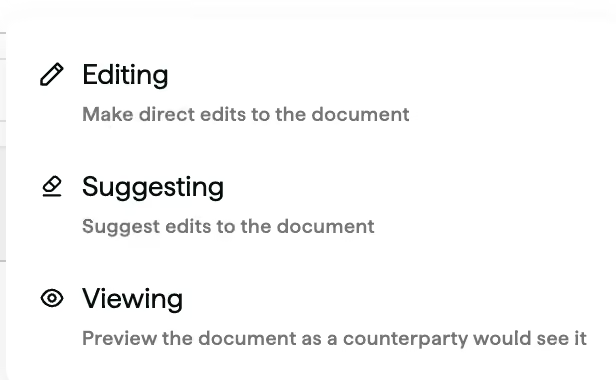
We've just released a fix that means no matter what your contract type, you can now sync it back to Juro with fewer formatting issues.
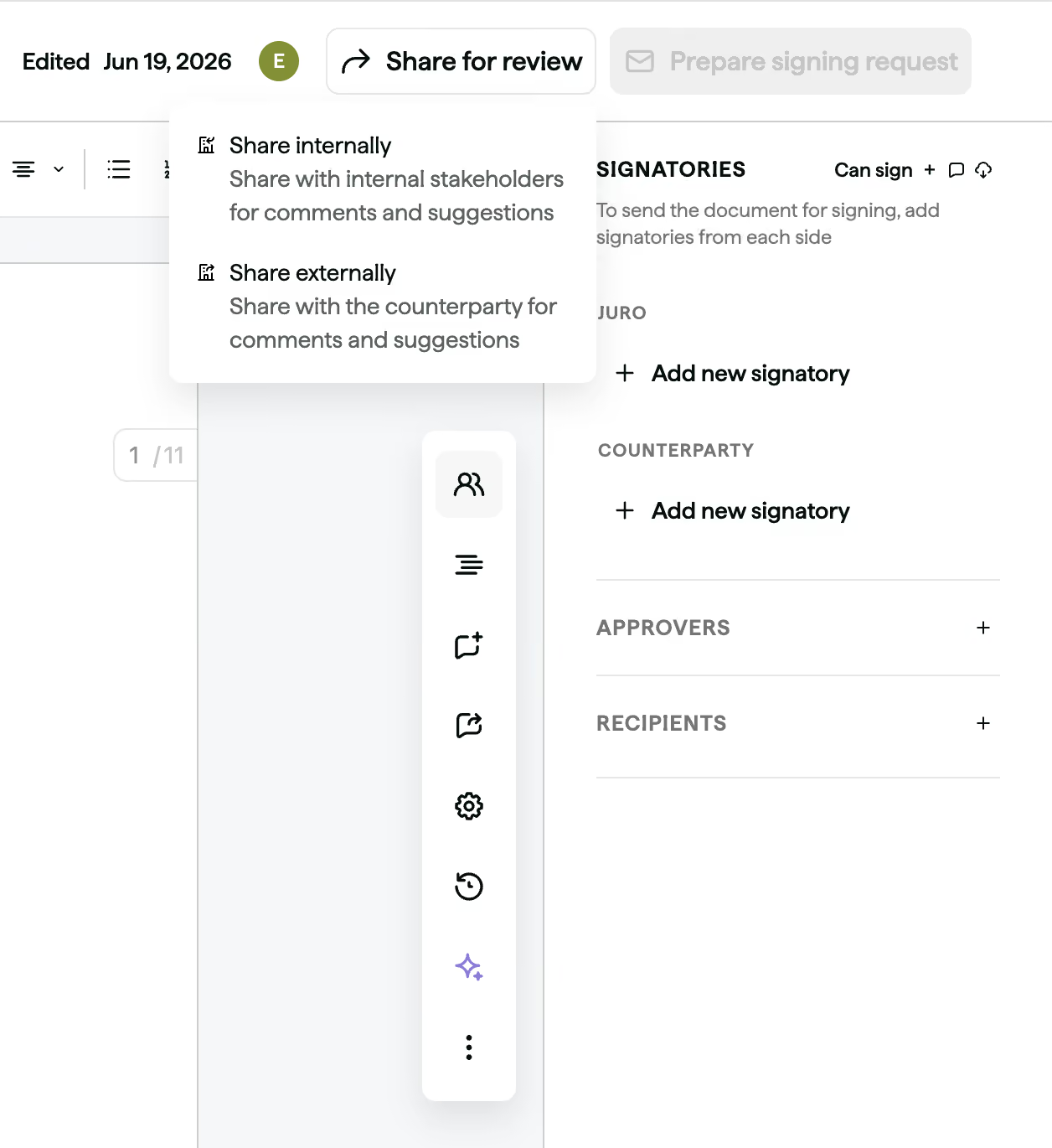
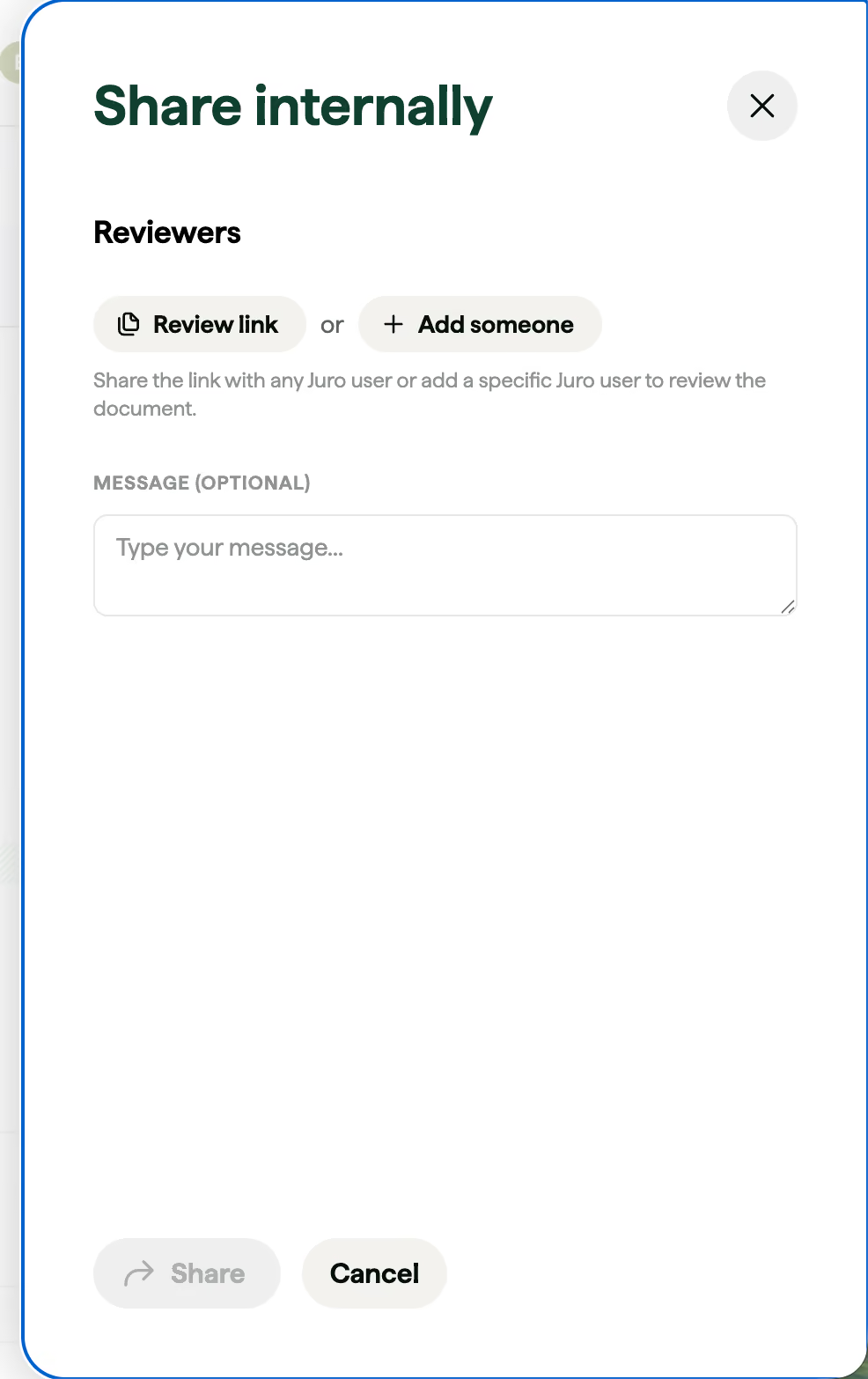
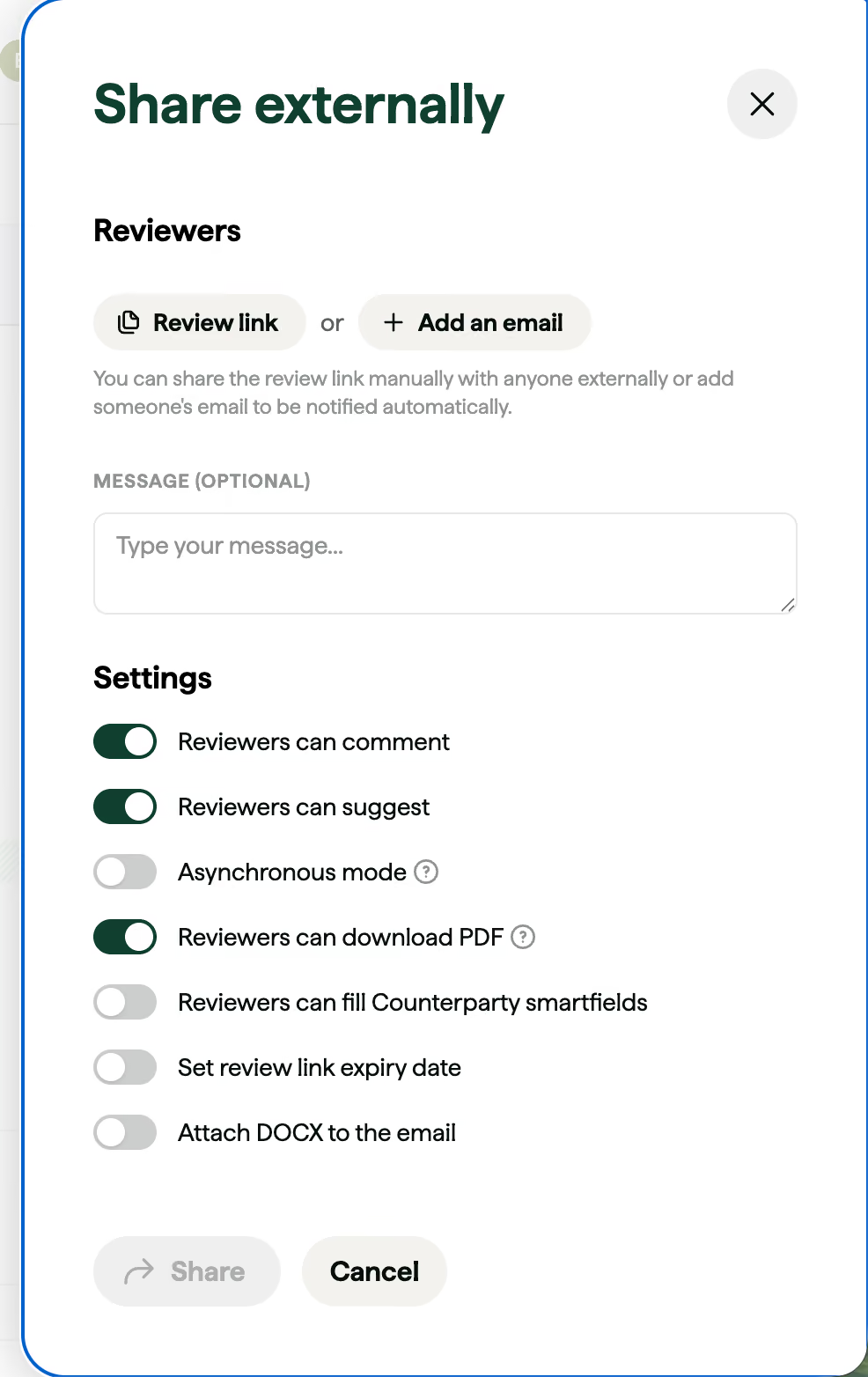
Sharing contracts for review - both internally or with counterparties - is now front and centre in the contract editor, making it easier for business users to move contracts forward without getting stuck.
What's changed:
Note: The "Reviewers" section has been removed from the side panel. Sharing for review now lives in the new "Share for review" button at the top of the contract.
We're trialling some improvements to further enhance our contract creation flow for your users.
In place of our normal + Add document > Create from template or Upload from your computer steps, some customer environments will show the streamlined options below.
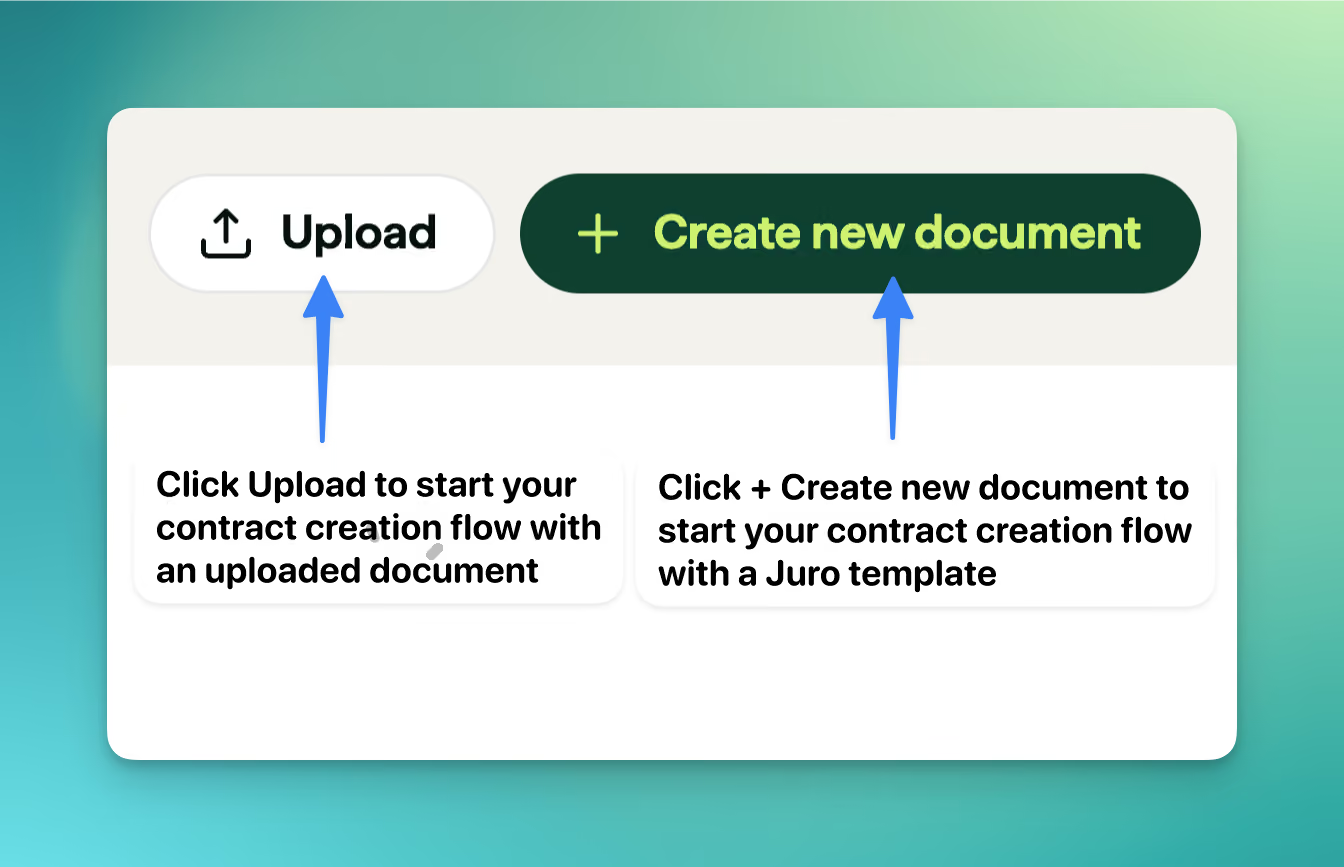
Nothing beyond these selections has changed, so your users will see the journey they're familiar with.
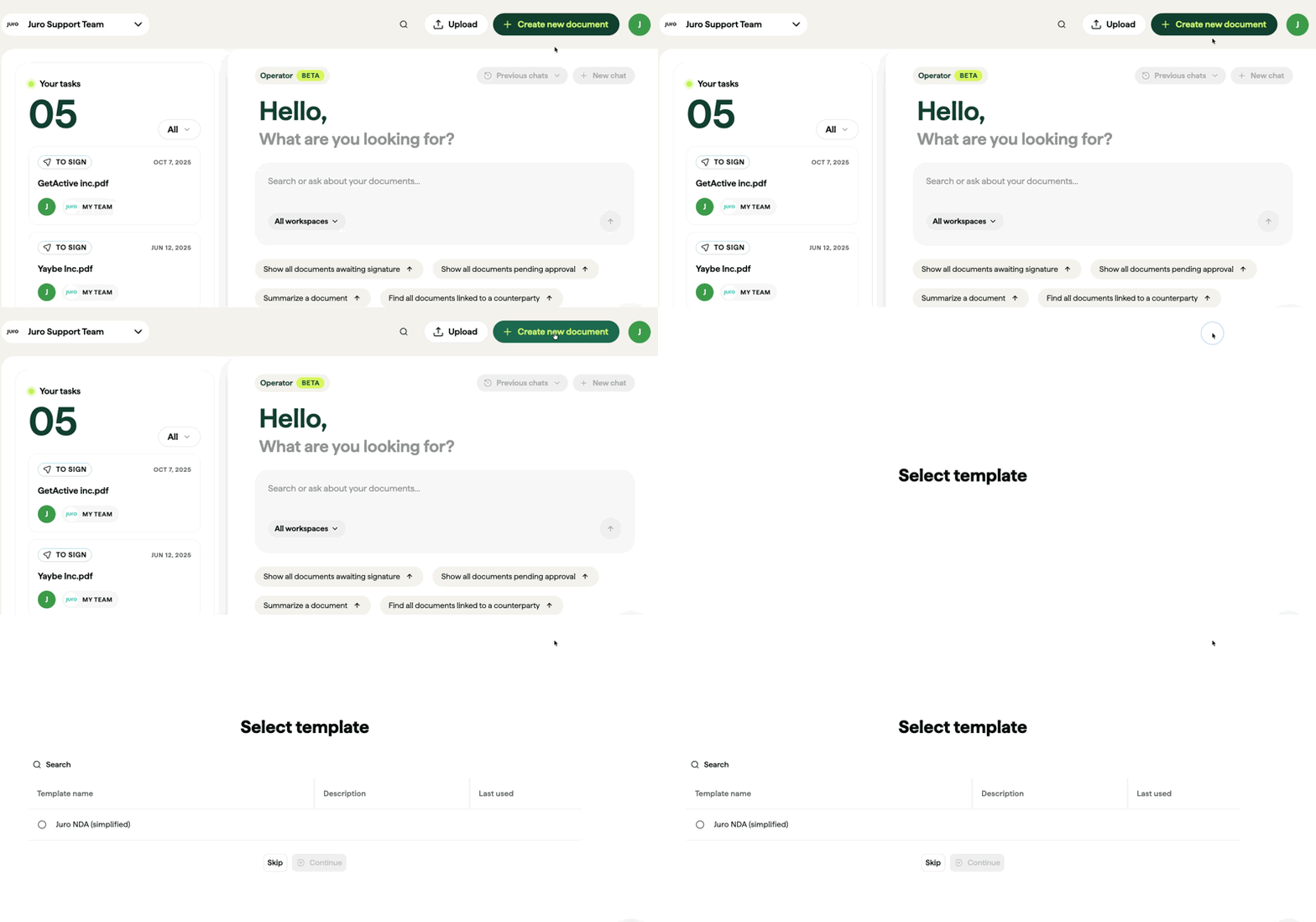
We'd love to hear any feedback you as we refine this change ahead of its full release. Please do reach out to your Customer Success Manager with your insights.
You can now see a list of every workspace connected to your Salesforce account directly on the Salesforce integrations page.
This makes managing your connection much easier, especially when you need to connect Salesforce to a different domain or reconnect after the integration account has been offboarded.
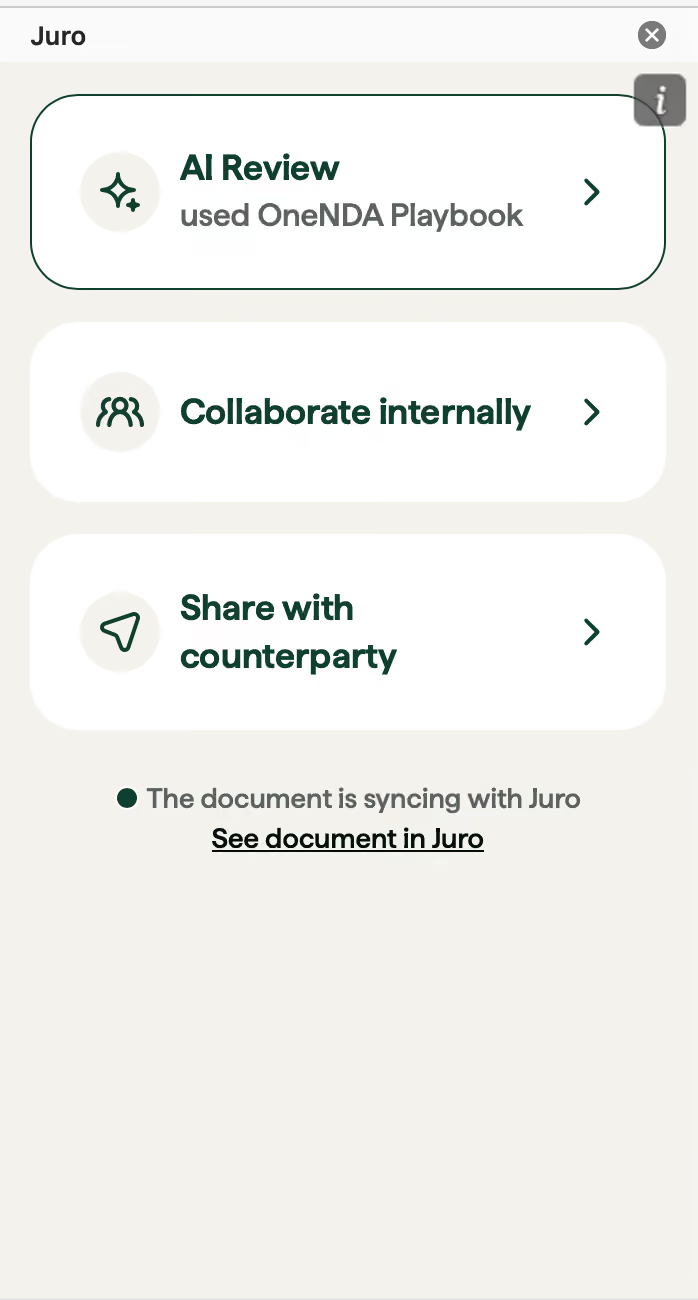
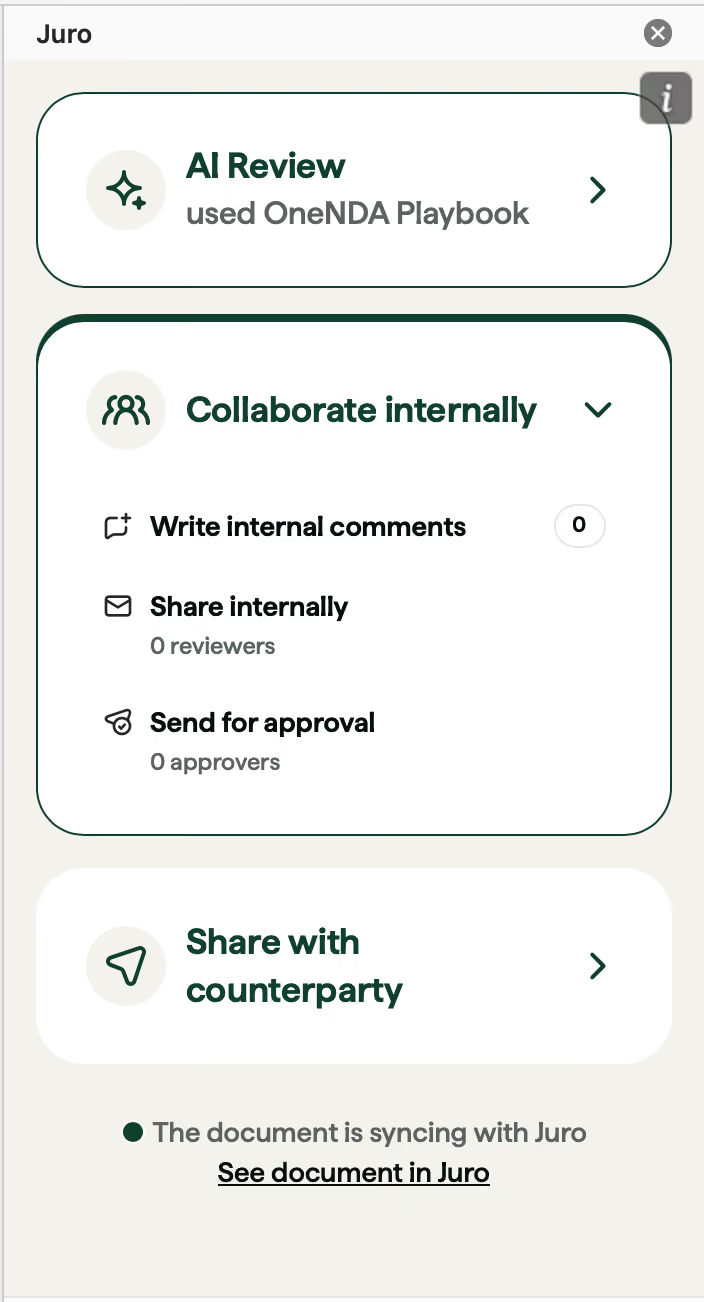
We've rebuilt the Word add-in to make running AI Review and progressing your contracts faster - fewer steps, fewer screens, and a clearer next action on every document.
What's new:
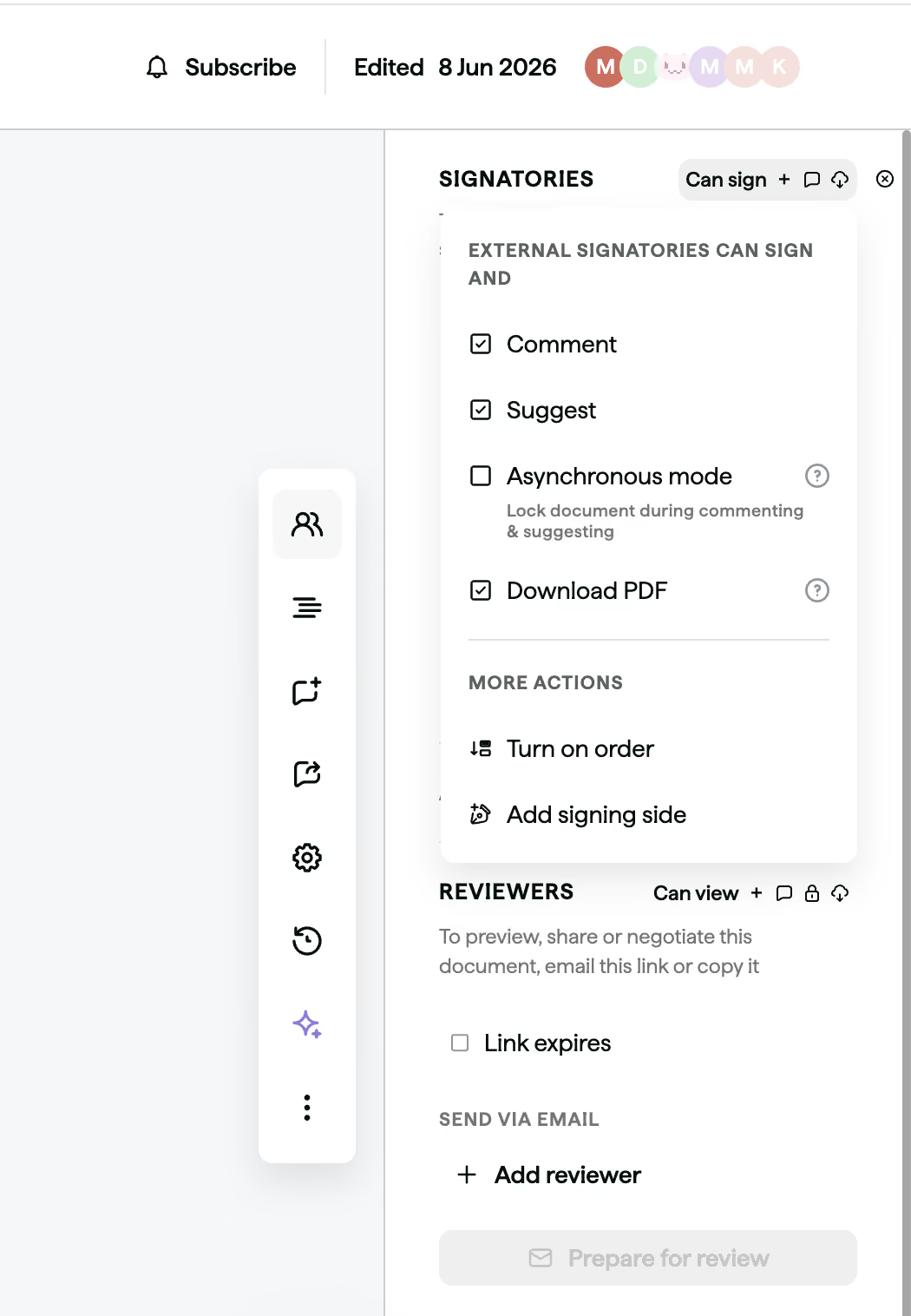
You can now grant counterparties the ability to comment without also letting them suggest edits (or vice versa). You can set this across counterparty signatories as well as reviewers - meaning you have more control when sharing your contracts.
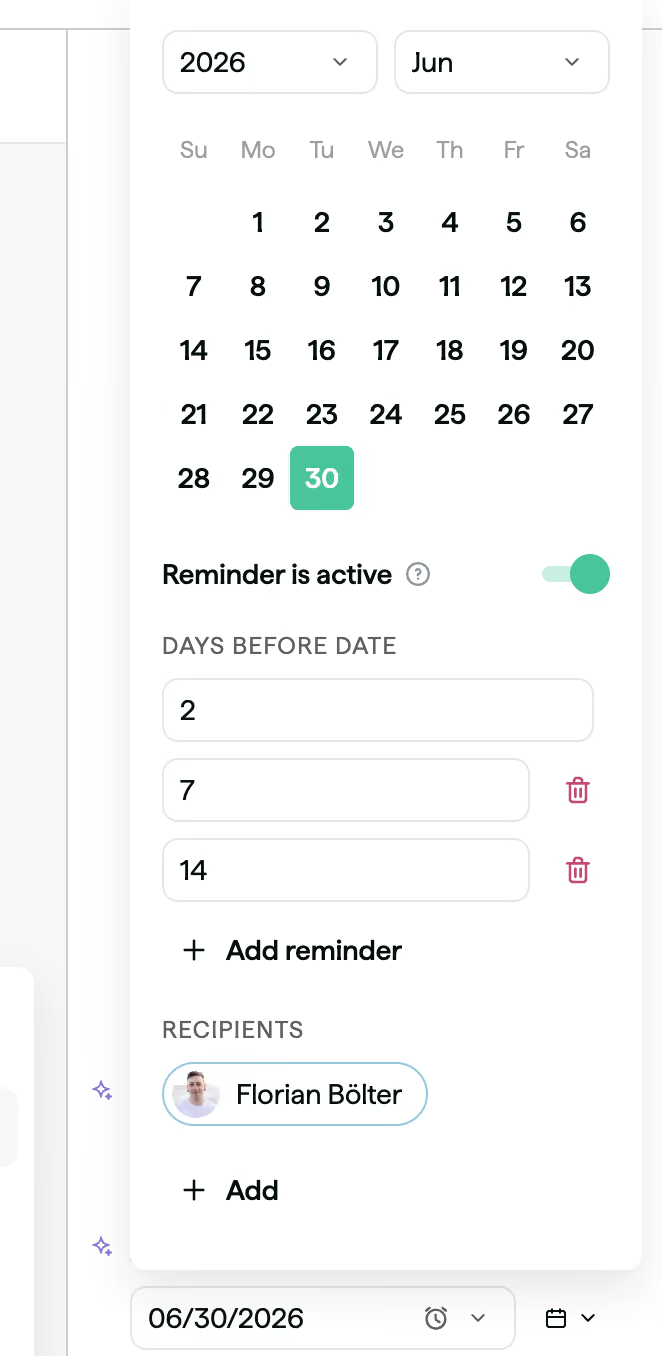
You can now set up multiple reminders on a date smartfield.
Previously you were only able to set up one reminder relative to the date set in the field - now you can set up to 5 reminders. So you can set reminders of a renewal 90, 60 and 30 days before it happens.
How it works
To set it up, open any date smartfield and toggle the reminder on. Use + Add reminder to add more triggers, each with its own "days before date" value. Recipients can be added or updated at the same time.
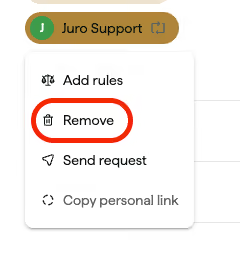
We've refined the flows around updating and removing these stakeholders. Our Change member function is now available on the user's link directly:

To remove a signatory or approver, you can click on their link and select Remove.