.svg)

.svg)
.svg)

🇺🇸 22 Boston Wharf Rd, Boston, MA 02210
🇬🇧 2 Pear Tree Court, London EC1R 0DS
© 2026, Juro. All rights reserved.


🇺🇸 22 Boston Wharf Rd, Boston, MA 02210
🇬🇧 2 Pear Tree Court, London EC1R 0DS
© 2026, Juro. All rights reserved.

Reviewing counterparty negotiations on your contracts just got a lot faster. AI Review on redlines is now available in beta on Juro.
Giving you actionable, granular guidance on every comment and suggestion from your counterparty on your templates - so you can negotiate with confidence and speed.
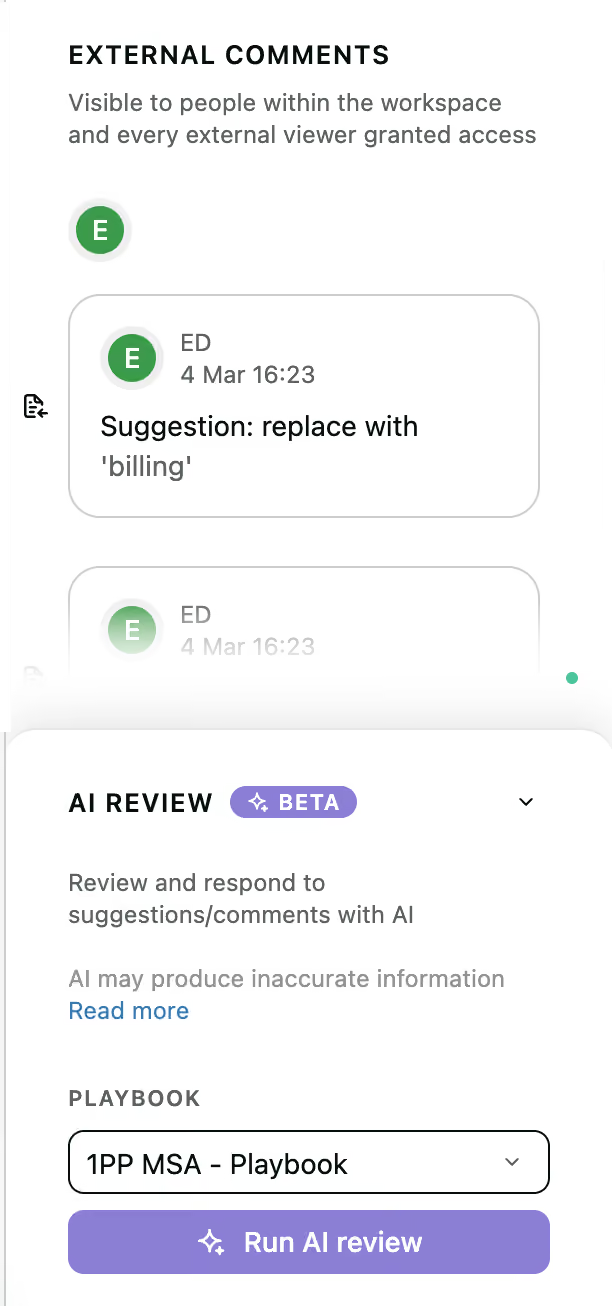
AI Review analyses counterparty comments and redlines against your playbook, then recommends exactly what to do next on each one. Whether that's accepting or rejecting a redline, replying with a comment, or adding a new suggestion for the counterparty to consider - AI Review does the heavy lifting so you don't have to.
Once your contract has received counterparty suggestions or comments, head to External Comments in Juro. From there:
AI Review will work through each comment and suggestion in turn, providing a clear recommended next step for every one. Once you're done, select "Mark review as complete".
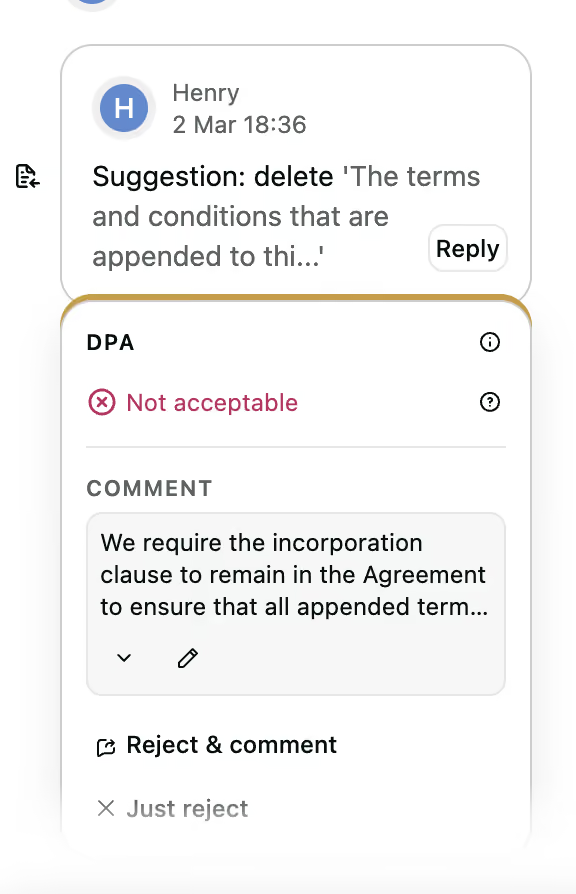
All you need is a playbook configured in the Playbook Hub which negotiates preferred positions on your own contracts. Once that's in place, AI Review is ready to run as soon as counterparty negotiations come in - whether they were shared directly in Juro or returned as a .docx file.
As an early user, we'd love to hear what you think - please share your feedback as you explore the feature
Custom signing request messages now support paragraph line breaks, so the formatting you write is preserved in the email your counterparty receives.
Previously, line breaks in custom signing messages were stripped out, making the emails harder to read. Now your messages appear exactly as intended, improving the experience for both you and your counterparties.
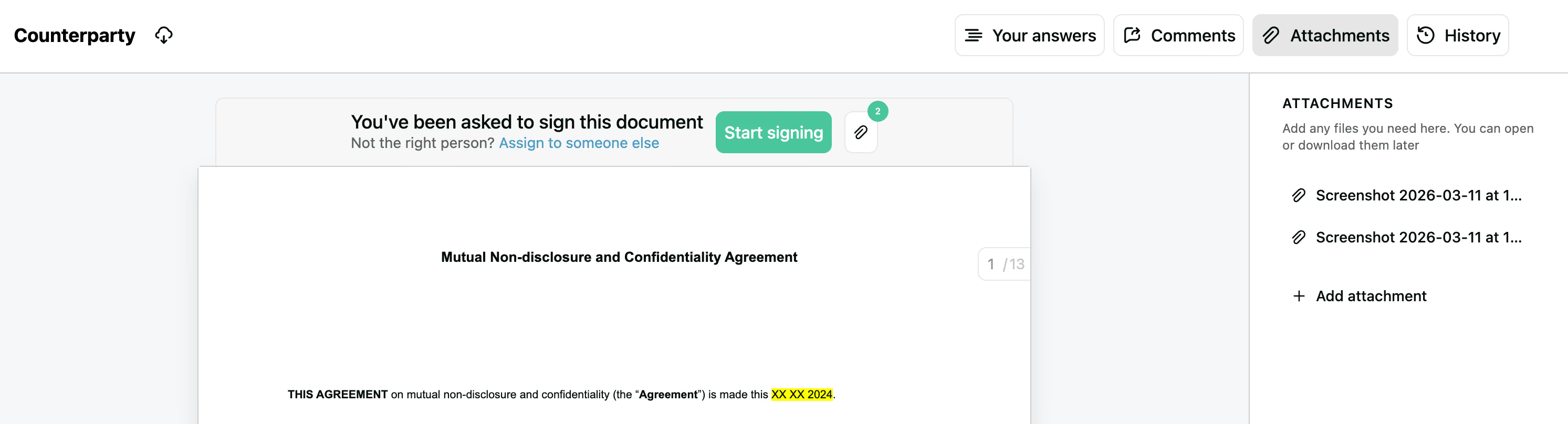
Counterparties can now clearly see any attachments on a contract, both in their signing request email and on the signature page itself.
What's changed:
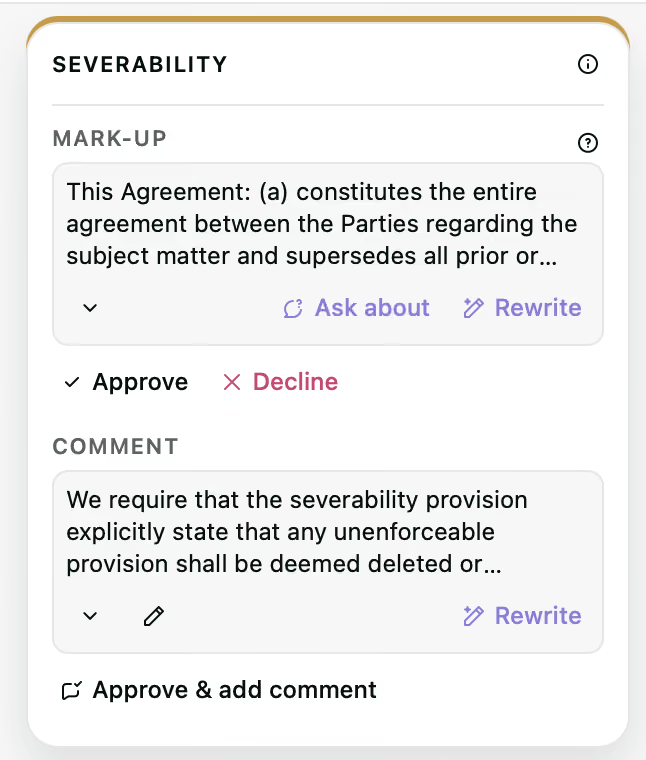
Getting AI redlines to land in the right way just got a lot easier. Tone shortcuts are now available in AI Review in the Word plugin, so the tone of AI-generated redlines and comments can be adjusted directly from the redline card.
Once the AI has updated the suggestion, it's ready to approve or decline without leaving the card.
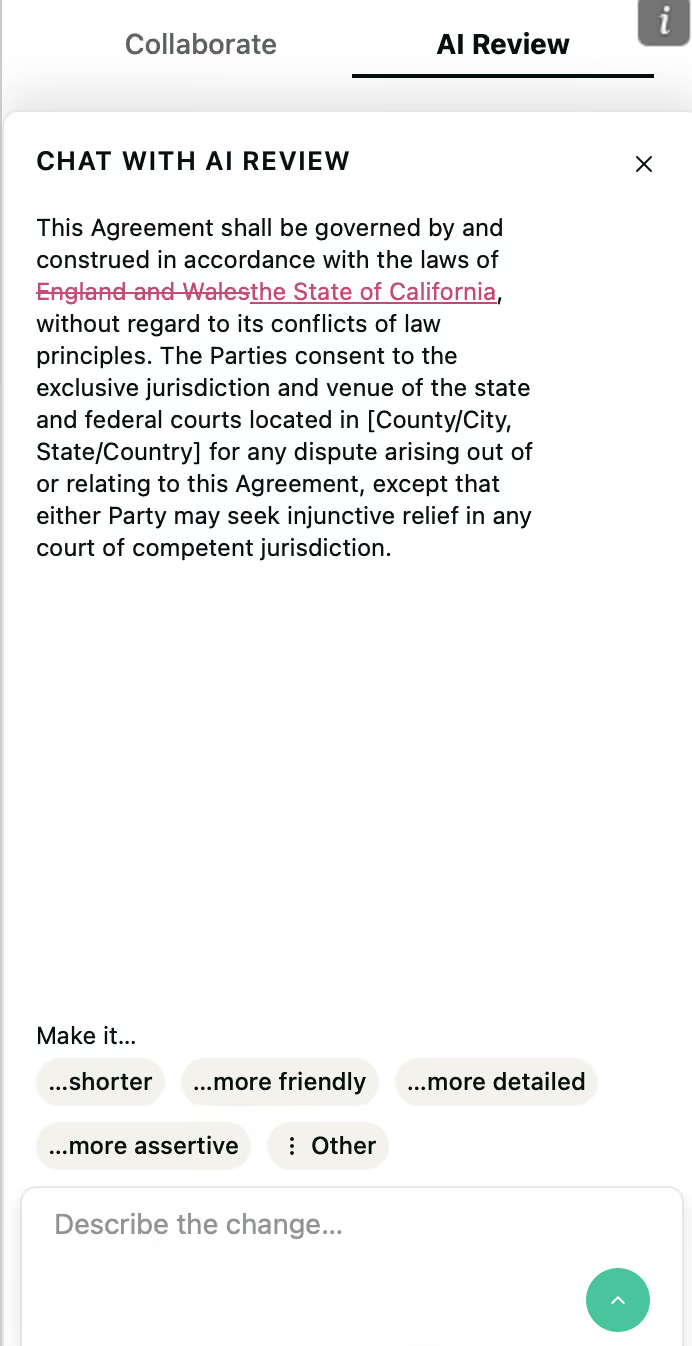
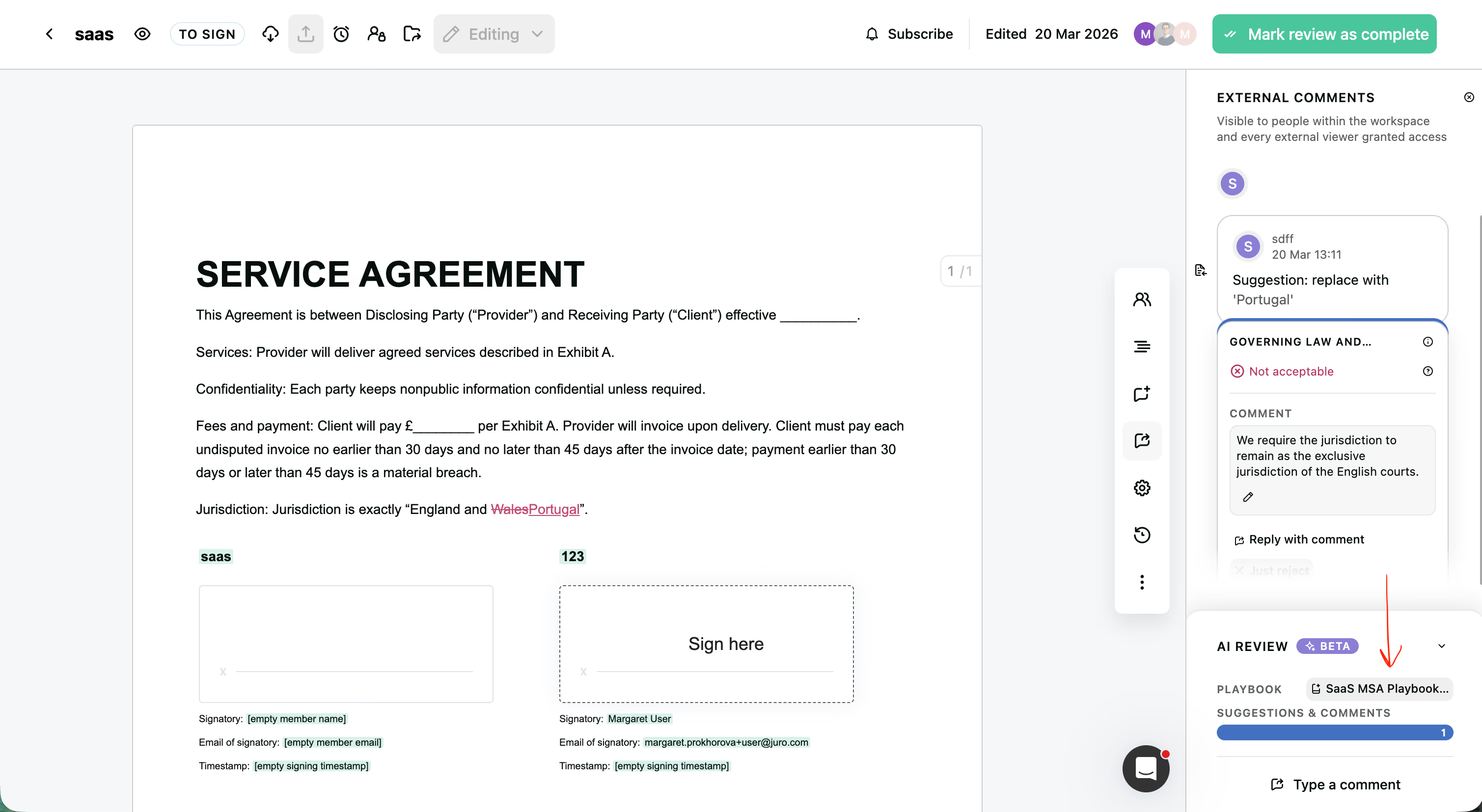
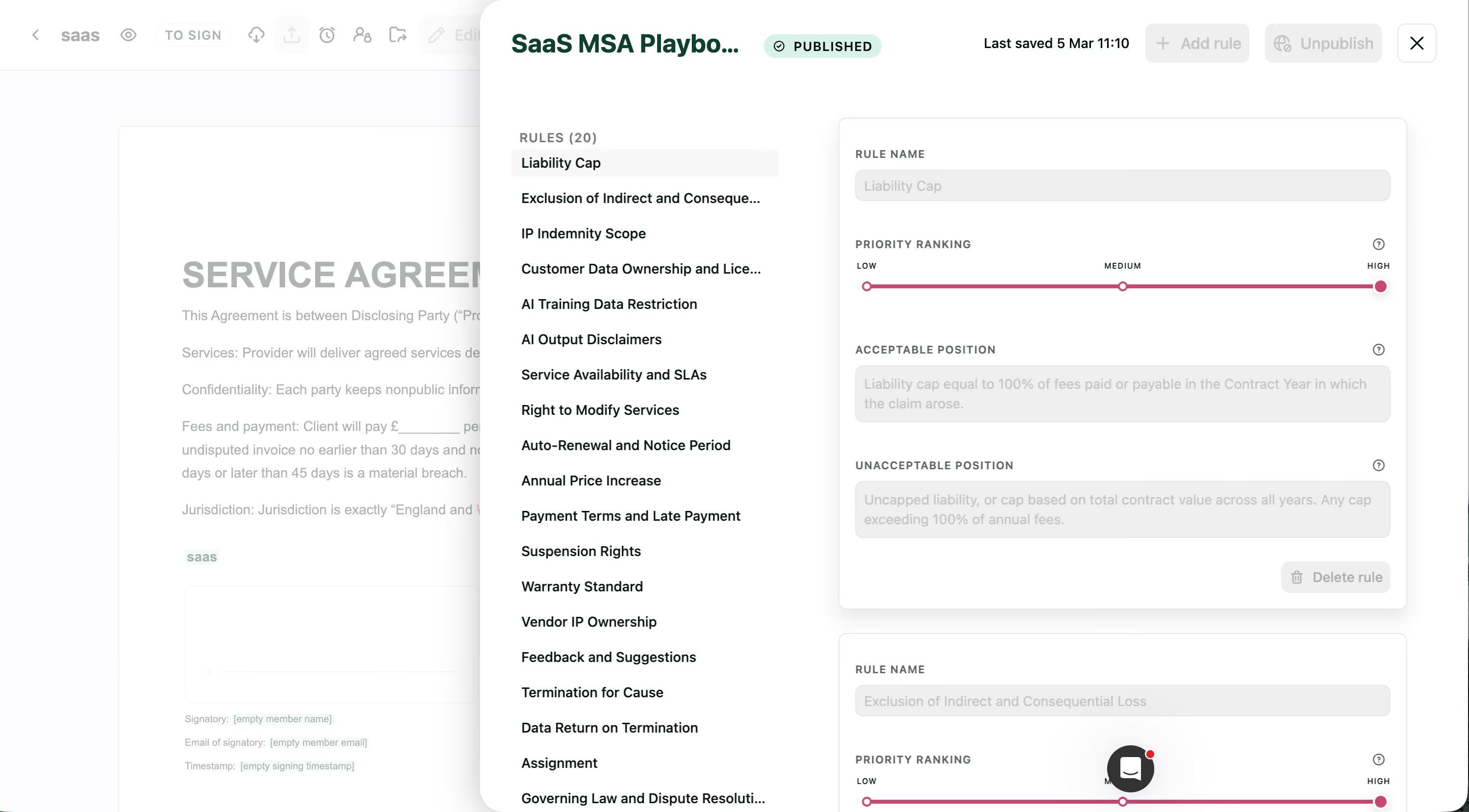
We've also made it easier to see and manage the rules AI Review is working from.
Your playbook is now linked directly within the AI Review side panel - so you can check, and update your preferred positions without ever leaving the review!
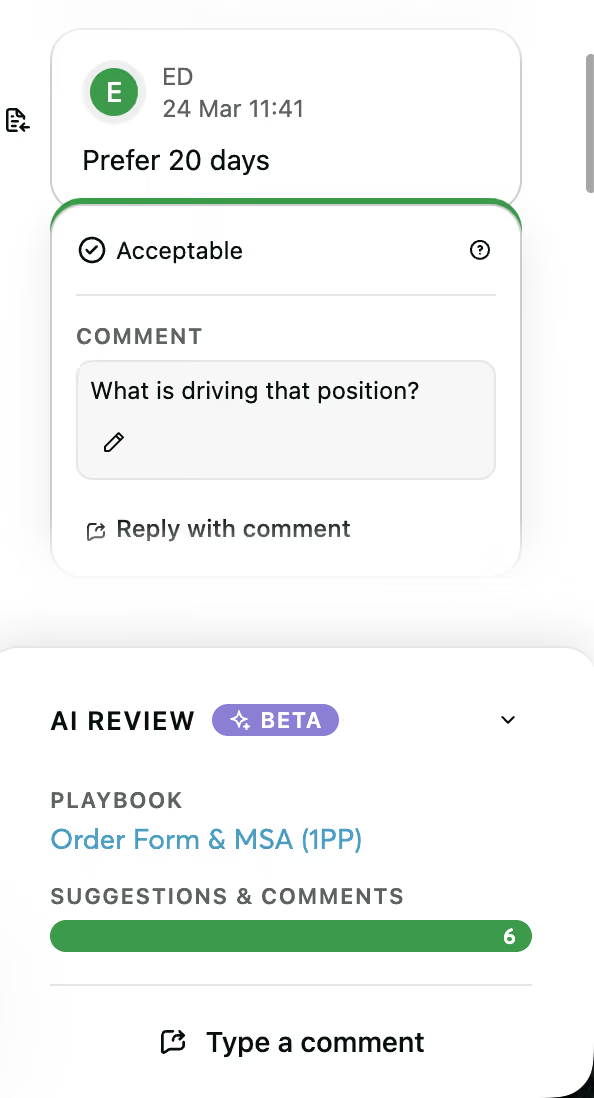
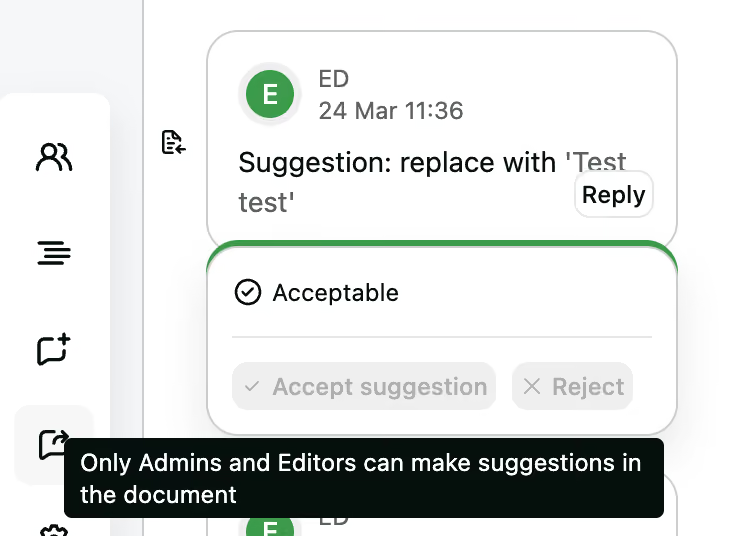
Until now, only Admins and Editors could run AI Review on your contracts. We've now extended access to User roles too, so more of your team can benefit from AI-powered negotiation insights.
With AI Review, Users roles can now:
Please note that Users are not able to accept or reject counterparty redlines, or add their own redlines to the document - which keeps your contracts in tact.
Contact the Juro customer team to explore your new features in more depth. If you're new to Juro, use the form below to book your demo and try these features for yourself.