


.svg)

.svg)
.svg)

🇺🇸 22 Boston Wharf Rd, Boston, MA 02210
🇬🇧 2 Pear Tree Court, London EC1R 0DS
© 2026, Juro. All rights reserved.


🇺🇸 22 Boston Wharf Rd, Boston, MA 02210
🇬🇧 2 Pear Tree Court, London EC1R 0DS
© 2026, Juro. All rights reserved.

This employee equipment agreement template helps formalize terms for the use of company-owned tools or devices with ease.



"It takes the sales team four clicks to generate and approve a contract in Juro. We're saving 25 minutes per contract."
Read Paddle's customer story >
.avif)
Chris McFalls,
Rev Ops
"With Juro, approvals take less than two hours, and most contracts are fully signed within a day of being sent"
Read Goldin’s customer story >.png)
.avif)
Kyle Piper,
Contracts Manager
"Everyone works out of Juro - it's the key tool we use to do our job"
Read ANC’s customer story >


When a company issues a laptop, phone, or any other piece of kit to an employee, that exchange is a legal transaction.
Equipment has value, it carries data, and it eventually needs to come back. An employee equipment agreement is how organizations protect that exchange in writing.
Used consistently, this document eliminates ambiguity at every stage: when equipment is issued, when something goes wrong, and when an employee leaves. Used inconsistently, it leaves companies exposed to asset loss, data risk, and disputes that are hard to resolve without a paper trail.
This page explains what an employee equipment agreement should cover, how to draft one effectively, and how HR and legal teams can stop managing these contracts manually when the volume starts to add up.
An employee equipment agreement is a contract between an employer and an employee that records the terms under which company-owned equipment is provided, used, and returned.
It typically covers laptops, mobile phones, monitors, headsets, and any other hardware or peripherals the employer supplies. However, it can also extend to software licenses, access credentials, and physical items like access cards or company vehicles, depending on the business.
The agreement sets out who owns the equipment, how it should be used, who is responsible if it is lost or damaged, and what the return process looks like. Both parties sign it, which means both parties are accountable.
Employee equipment agreements sit within the broader category of employment contracts and are often issued alongside offer letters, NDAs, or acceptable use policies during onboarding. They can also be issued mid-employment when equipment is upgraded, replaced, or first issued to an existing employee.
A well-drafted agreement does not need to be long, but it does need to be complete. The key sections to include are:
Equipment description. A specific list of what is being issued, including make, model, serial number, and condition at the time of issue. Vague descriptions create disputes when equipment is returned.
Ownership. A clear statement that the equipment remains company property at all times, regardless of where it is used or stored. This matters especially for remote workers.
Acceptable use. What the equipment can and cannot be used for. Most agreements permit incidental personal use but restrict installing unauthorized software, sharing access, or using company devices for external business activity.
Care and maintenance. Employee obligations around keeping the equipment in good condition, reporting faults or damage promptly, and not attempting unauthorized repairs.
Liability for loss or damage. Whether the employee bears any financial responsibility if equipment is lost, stolen, or damaged through negligence. This section should be specific about what counts as normal wear and tear versus chargeable damage.
Data security. Requirements around confidentiality, password protection, screen locking, and what to do if a device is lost or stolen. For remote employees, this section often references broader data handling policies.
Return procedure. How and when equipment must be returned, including what happens at the end of employment. This should specify timelines, return location, and the consequences of failing to return equipment.
Governing law. The jurisdiction whose laws govern the agreement. This is particularly relevant for companies with employees across multiple states or countries.
Signatures. Employee acknowledgment that they have received the equipment in the stated condition and understood the terms.

In most companies, the process is split:
The practical challenge is that none of these teams typically use the same system.
Equipment agreements get created in Word, emailed back and forth for signature, and then filed in an inbox or a shared drive where they are difficult to search or audit. That process works when a company employs twenty people. It stops working reliably when headcount grows and equipment issuance becomes a recurring operational event.
For HR teams managing high-volume onboarding, or for legal teams that want visibility over all active equipment agreements without having to chase spreadsheets, the case for a more structured approach is straightforward.
1. Being too generic on the equipment list. An agreement that refers to "a laptop" rather than specifying model and serial number makes it hard to prove what was issued if a dispute arises. Always include identifiable details.
2. Ignoring remote-specific risk. Equipment used at home is outside your physical security perimeter. Agreements drafted before widespread remote work often lack clauses covering home use, family access, or what happens if equipment is lost during travel. These gaps are worth closing.
3. Omitting a return timeline. It is surprisingly common for agreements to cover the issuance of equipment in detail but say nothing specific about when it must be returned. Include an explicit deadline tied to the employee's last working day or notice period.
4. Unclear liability thresholds. If your agreement says employees are responsible for damage but does not define what constitutes negligence, you will struggle to enforce it. Specify what is expected, what counts as acceptable wear, and what the process is for assessing damage at return.
5. No coverage for equipment upgrades. When a laptop is replaced, some companies issue a new agreement while others rely on the original. Clarify in the template whether a new agreement is required for each device or whether the original covers replacements.
For companies running dozens of onboarding cycles a month, equipment agreements are high-volume, low-complexity documents.
The drafting is not difficult. The challenge is doing it consistently, getting signatures quickly, keeping records organized, and tracking what happens to equipment over time.
That is exactly the kind of workflow Juro is built for. HR and people teams use Juro to standardize their equipment agreements, trigger them automatically as part of an onboarding sequence, collect signatures in the browser without requiring a separate eSign tool (like Docusign), and store every executed contract in a searchable contract repository.
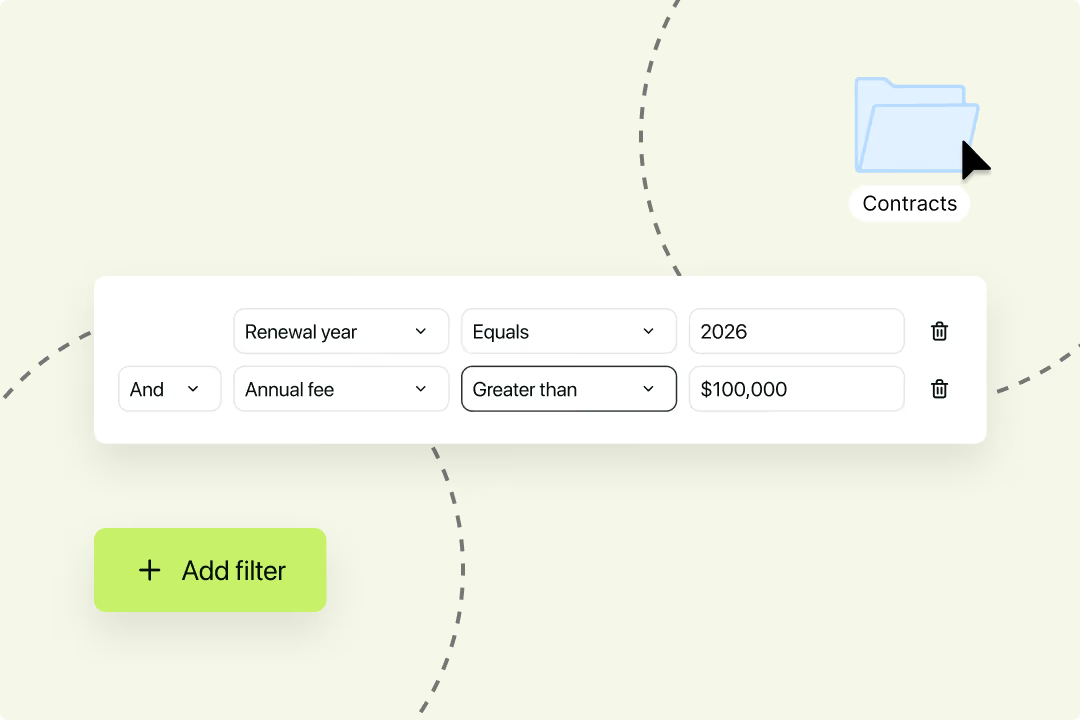
When an employee leaves, it takes seconds to pull up their equipment agreement and confirm what needs to be returned. When an audit happens, the records are already there.
And because Juro sits inside the tools HR teams already use, including integrations with HR systems and Slack, the process does not depend on anyone remembering to send the right document.
SaleCycle is one example of what this looks like in practice. Before Juro, their sole in-house counsel was managing contracts across five different tools, with no reliable system of record.
After moving to Juro, SaleCycle saved nine working days per month on repeatable contract admin, with legal back in control of templates and HR able to self-serve without constant back-and-forth.
If your team is spending meaningful time on contract admin that should be automatic, it is worth seeing how Juro handles it. Book a demo to see the platform in action, or join the Juro community to hear how other legal and HR teams are managing high-volume employment contracts.
Juro is the #1-rated contract platform for speed of implementation — connect your CRM, automate templates, and close deals without the paperwork.
Book a personalised demo

Hello. We are Juro Online Limited (known by humans as Juro). Here's a summary of how we protect your data and respect your privacy.


