





.svg)

.svg)
.svg)

🇺🇸 22 Boston Wharf Rd, Boston, MA 02210
🇬🇧 2 Pear Tree Court, London EC1R 0DS
© 2026, Juro. All rights reserved.


🇺🇸 22 Boston Wharf Rd, Boston, MA 02210
🇬🇧 2 Pear Tree Court, London EC1R 0DS
© 2026, Juro. All rights reserved.

Phones are often seen as a distraction in the workplace and that can be true. However, mobile phones can be a tool for productivity, particularly for lawyers who find themselves regularly on the move.
Striking the right balance between availability and making time for yourself isn’t always easy. With this in mind, we took a look at which apps help lawyers work better and increase productivity. A few of these apps were designed specifically for lawyers, but the majority simply work well to aid legal practice.
From apps that increase productivity to those that allow you to take a minute to yourself, we’ve got you covered.
Clockify is a timekeeping app that allows you to see a breakdown of how you spend your time, designed for lawyers.
It has an extensive list of features, most of which are included with their free option. If you work in private practice or use billable hours you can use the app to easily track your billable time, show clients how much you've worked and create invoices.
For GCs who manage a team, the app allows you to invite your team so they can track time, manage workload and even send attendance data to payroll and accounting. Not only does this increase their productivity and accountability but it automates this process for managers.
The app also allows you to block off time to focus, something that can be handy when mobile devices are around, especially as one Forbes study suggests that the average person looks at their phone 150 times a day.
This one may seem incredibly obvious, but being able to read your emails on the go can aid your productivity. Some email applications are better than others, as they integrate seamlessly with your calendar and other apps.
Features such as snooze and send later are particularly useful for busy professionals who receive emails outside of their working hours or are working with people in different time zones. It means you choose when your emails are sent for maximum efficiency, even if you’re asleep while it happens.
Many businesses use Outlook or Gmail are both also used for multi-factor authentication, making them essential for many workers. These are also tools that commonly integrate with the rest of your tech stack, you can even manage contracts using Gmail’s integration with Juro from your mobile!
While this is all possible on a desktop, using mobile apps will allow you greater flexibility - an increasingly important thing in a fast-paced world.
Unlike email, Slack is built for internal communications and is a messaging app for businesses that is built on flexibility. Work is organised in channels, giving everybody in your team access to the information they need - regardless of location, time zone or function.
As it’s a fairly modern platform, Slack is optimized for mobile use with an app available for both iOS and Android devices. Teams can communicate with one another in public, private or direct messaging channels, opening up communication between the whole team.
Need something reviewed quickly when you’re out and about, why not create a #legal-review channel? This means you can be there to support your team on the go without having to scroll through a messy email thread. For internal legal issues, this can be a real timesaver.
Another benefit of using apps like Slack on mobile is the ability to scan and send documents all on one device. For lawyers, this may manifest in activities such as scanning a signature or working towards becoming a paperless office (not something legal teams are known for!).
Either way, encouraging your team to communicate via the Slack app will open up the line of communication within your organization and increase productivity.
Evernote is a smart note app that integrates with numerous apps including:
Evernote has some features that are incredibly useful for legal review, including character recognition for scanned documents. That means you can search for what you need without having to scroll for hours.
Notes are also synced across all your devices, so should you need to take notes on your phone and later update them in more detail on a desktop, you can. It also allows you to keep everything in one safe space.
The app has a function for you to create tasks inside your notes to give your to-dos context and streamline your workflow. This can be particularly useful when you’re balancing several complex tasks or documents.
It’s worth noting that Evernote also has a paid version which can sync you and your team.

Clio is a paid app designed specifically for lawyers, with specific features such as Law Practice Management, Client Insage and Onboarding and over 90 integrations.
Granted, this app is built around private practice meaning that a lot of what it offers is targeted at that market, which is worth bearing in mind. The app markets itself as helping lawyers be more productive away from their desks.
The app allows you to pull up cases, your calendar and key documents whenever you are, be it in court or the queue for a coffee. Even if this just means double-checking something before a meeting, it saves time.
For those lawyers using the billable hour, there is a function that captures billable and non-billable time. You can use different categories for time and expenses, add UTBMS codes and duplicate entries all from your phone.
In short, Clio gives you better visibility into firm ongoings from your mobile device.
As a lawyer, it's unlikely that you won’t already have a news application on your phone but if you don’t, you should!
Commercial awareness is a buzzword in the legal world but it is essential. Keeping up to date with the news can be time-consuming and overwhelming, but certain apps, such as the Times or the Guardian will notify you of the top news stories as they are published.
Apps can also be customized to suit your news preferences, meaning you can get custom notifications on the stories that matter most to your business. Being commercially aware will help you give the most relevant and informed advice to your clients possible, especially where their issues relate to business.
Both Android and Apple have their news apps which collate the top stories from various newspapers together. That said, we think Google News is the best all-around news application as it curates your feed based on your Google Search history and has a ‘full coverage’ panel which is very comprehensive.
Headspace is a wellness app that aims to help you prioritize your mental health. It has over 500 meditations, sleepcasts, mindful movement and focus exercises.
LawCare, the mental health charity for lawyers, discovered that 69% of legal professionals have experienced mental ill-health. An app like Headspace makes mental health support mobile and accessible, something that is essential for everybody, especially busy lawyers.
The app has a few free offerings but is primarily a subscription application. They also have an enterprise option for businesses that includes coaching, therapy, psychiatry and EAP services all in one place.
The Headspace app is a great place to start looking out for your mind, particularly as a busy lawyer. It also aims to improve users’ attention span and alertness, alongside calming them down and reducing stress when needed. This means you can access mindfulness wherever you are, something that may be appealing to busy lawyers.
Juro is proud to support Lawcare as a charity partner - find out more about mental health support for in-house legal on their website.
Music or podcasts can be an extremely helpful tools for boosting productivity - be it a podcast that increases your commercial awareness or a playlist that helps you get through your to-do list.
According to one 2013 study, “classical music significantly increased working memory performance compared with the no-music condition”. So using your phone to listen to music while working could increase your productivity, though apparently, this is better if you’re a Mozart fan!
Spotify allows you to listen to music wherever you are, which could mean focusing on that contract review while on a busy train or even just taking five minutes to yourself without any distractions.
Podcasts are also a great way to keep up with current affairs, politics or even legal news. Save time on reading the news by listening to the New York Times ‘The Daily’ podcast or catch up on the latest in the legal world by tuning in to LawPod UK.
Ironically, the last app on this list is designed to keep you off your phone. Sometimes, no matter how many productive apps you have on your phone, it can just be a distraction.
Forest is an app that helps you stay focused by blocking you from using your phone for a set period. Whenever you want to stay focused, you set the app to plant a tree. Your tree will grow while you focus on your work, leaving the app will cause your tree to die.
This means you can set aside time to focus on a particular task without having to worry about notifications from your phone disturbing you. Plus, you can grow a whole forest while you do it - what’s not to love?
Juro is a browser-based contract automation platform designed to help legal and business teams create, negotiate, sign, and manage contracts in one place. While Juro isn’t a traditional “mobile-first” app like some on this list, its cloud-based design means lawyers can review, comment on, and track contracts wherever they are — including on mobile.
For in-house lawyers who are regularly pulled into contract reviews while on the move, Juro removes the friction of emailing Word docs back and forth or digging through shared drives. Contracts live in one dynamic workspace, with real-time collaboration, threaded comments, and full version control built in.
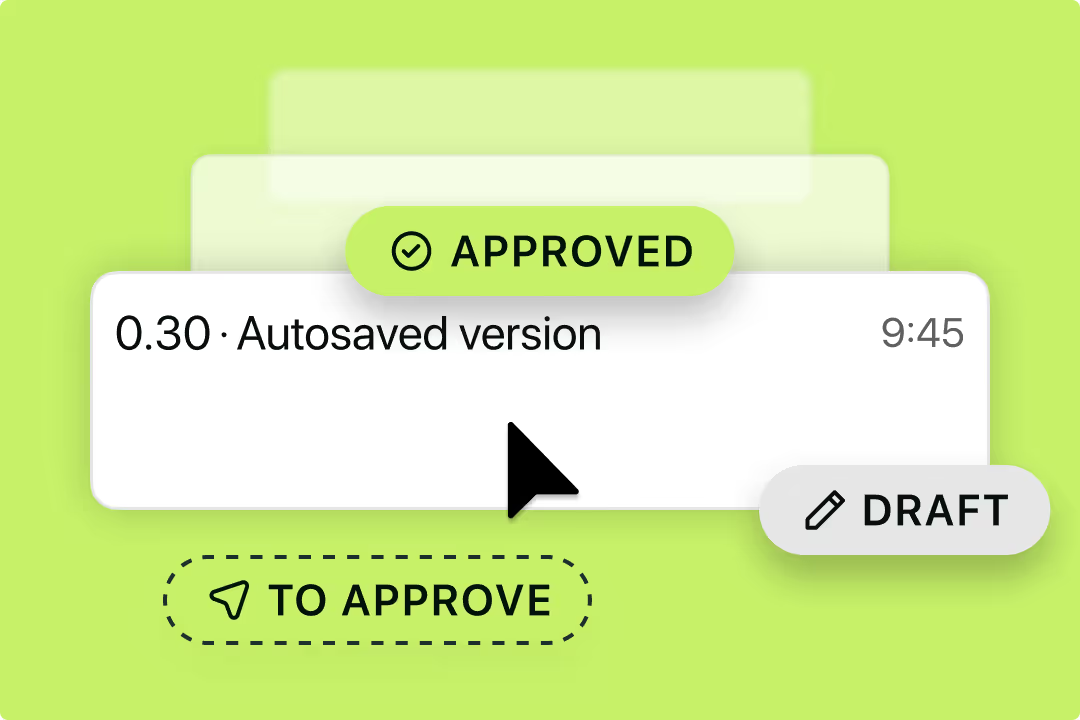
Key benefits for mobile-first lawyers include:
For legal teams trying to balance responsiveness with protecting their time, Juro helps reduce reactive contract work — so being “available” doesn’t mean being overloaded.
The right apps can help lawyers stay productive, focused, and in control — wherever work takes them. But when it comes to contracts, productivity isn’t about replying faster; it’s about removing the admin altogether.
Juro helps in-house legal teams cut contract busywork, enable the business to self-serve safely, and get agreements over the line faster — all in one place.
Want to see how modern legal teams manage contracts without the chaos? Book a Juro demo today.

Lorem ipsum dolor sit amet, consectetur adipiscing elit. Suspendisse varius enim in eros elementum tristique. Duis cursus, mi quis viverra ornare, eros dolor interdum nulla, ut commodo diam libero vitae erat. Aenean faucibus nibh et justo cursus id rutrum lorem imperdiet. Nunc ut sem vitae risus tristique posuere.


Hello. We are Juro Online Limited (known by humans as Juro). Here's a summary of how we protect your data and respect your privacy.



